Lead UX Designer Concept to pilot 2024 – 2025

Four surfaces,
one system
for Havells

A monitoring and configuration system spanning embedded LCD displays, desktop software, and a mobile app, built for the electrical teams that keep large facilities running. Cloud connectivity is planned for the next phase.

Fault diagnosis
Inspection
physical check to find the cause
Seconds
to see what caused a trip
Device onboarding
Manual
device-by-device setup
2 clicks
bulk onboarding via file upload
Role
Lead UX Designer
Timeline
2024 – 2025
Stage
Concept to pilot
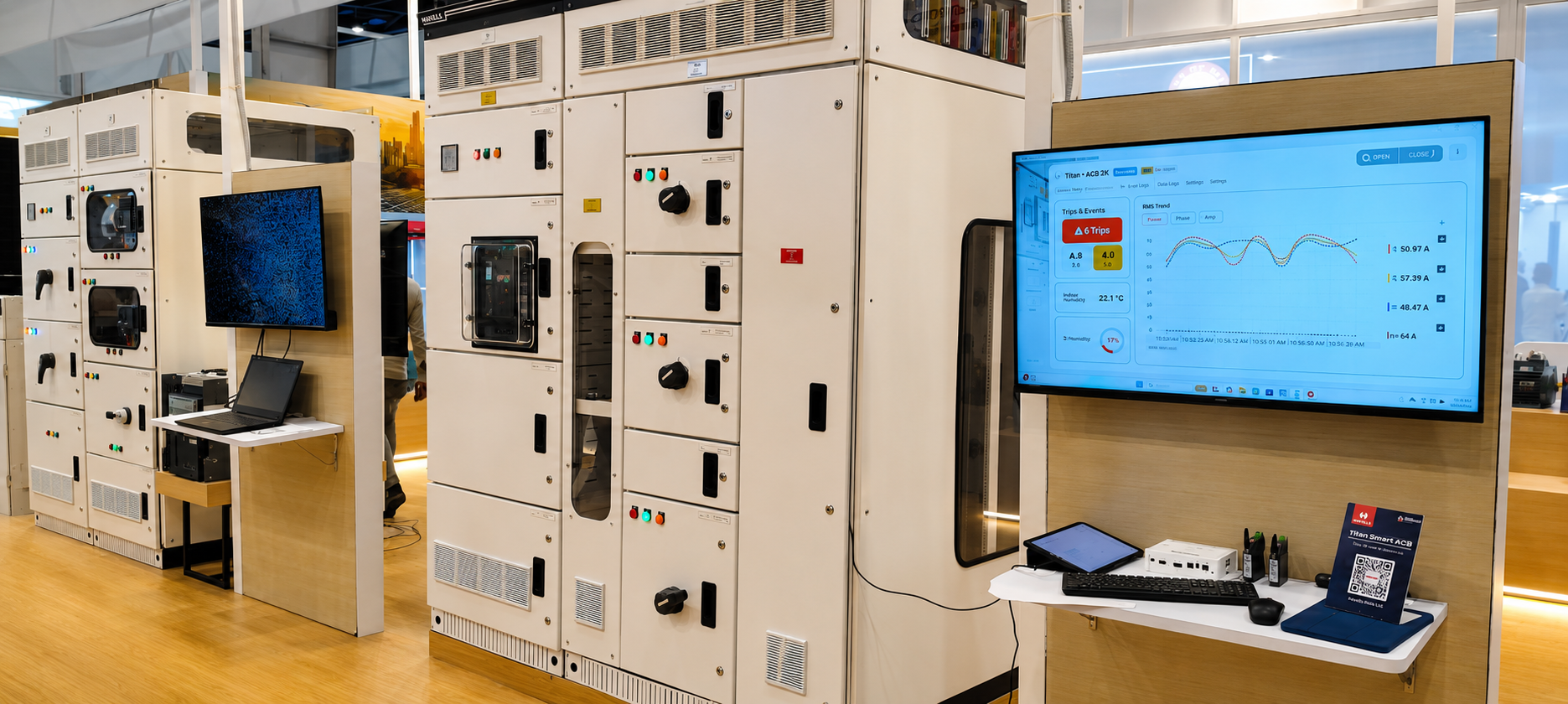
Havells Titan Smart ACB on display at ELECRAMA 2025 Havells' Switchgear stall at ELECRAMA 2025, New Delhi

A late entrant in a market led by ABB, Siemens and others

Havells wanted to build a digital layer on top of their low-voltage circuit breakers, ACBs and MCCBs, so that electrical teams could monitor and configure them without standing next to the panel. The product had to work across hardware LCD displays, a Windows desktop app, and an Android mobile app, with cloud connectivity planned for a subsequent phase.

The people using it ranged from electrical heads running an entire site, to operators doing routine checks, to service engineers diagnosing a fault. Each of them had different needs and technical backgrounds, but all needed to read a breaker's state fast and act on it correctly, because here a slow or wrong action carries real consequences.

4 surfaces,
one design system
LCD display
Desktop Windows
Mobile Android
Cloud Phase 2
Research Information Architecture Interaction Design UI Design Usability Testing Field Visits User Interviews Validation Dev Collaboration

Critical data was hard to find and hard to read

Switchgear tools already showed everything an engineer needs: live currents and voltages, protection settings, trip and alarm logs. Completeness was a solved problem. The gap was legibility under pressure, where the one reading that mattered carried the same visual weight as everything else. Time with electrical teams on-site made the sharpest case clear: when a breaker tripped, finding the cause often meant a physical inspection of the device, at the moment speed mattered most. The design problem was to surface the reading that mattered and make it quick to read, while keeping the depth the domain depends on.

Designing within the hardware

A few of the harder decisions were set by the hardware. The ACB's embedded display was only about 2.4 inches, so the on-device view had to prioritise a handful of critical readings rather than show everything. The mobile app reached breakers over short-range Bluetooth rather than a network, so it was built to work locally, near the device.

How the design answered the problem
Every event visible in one place
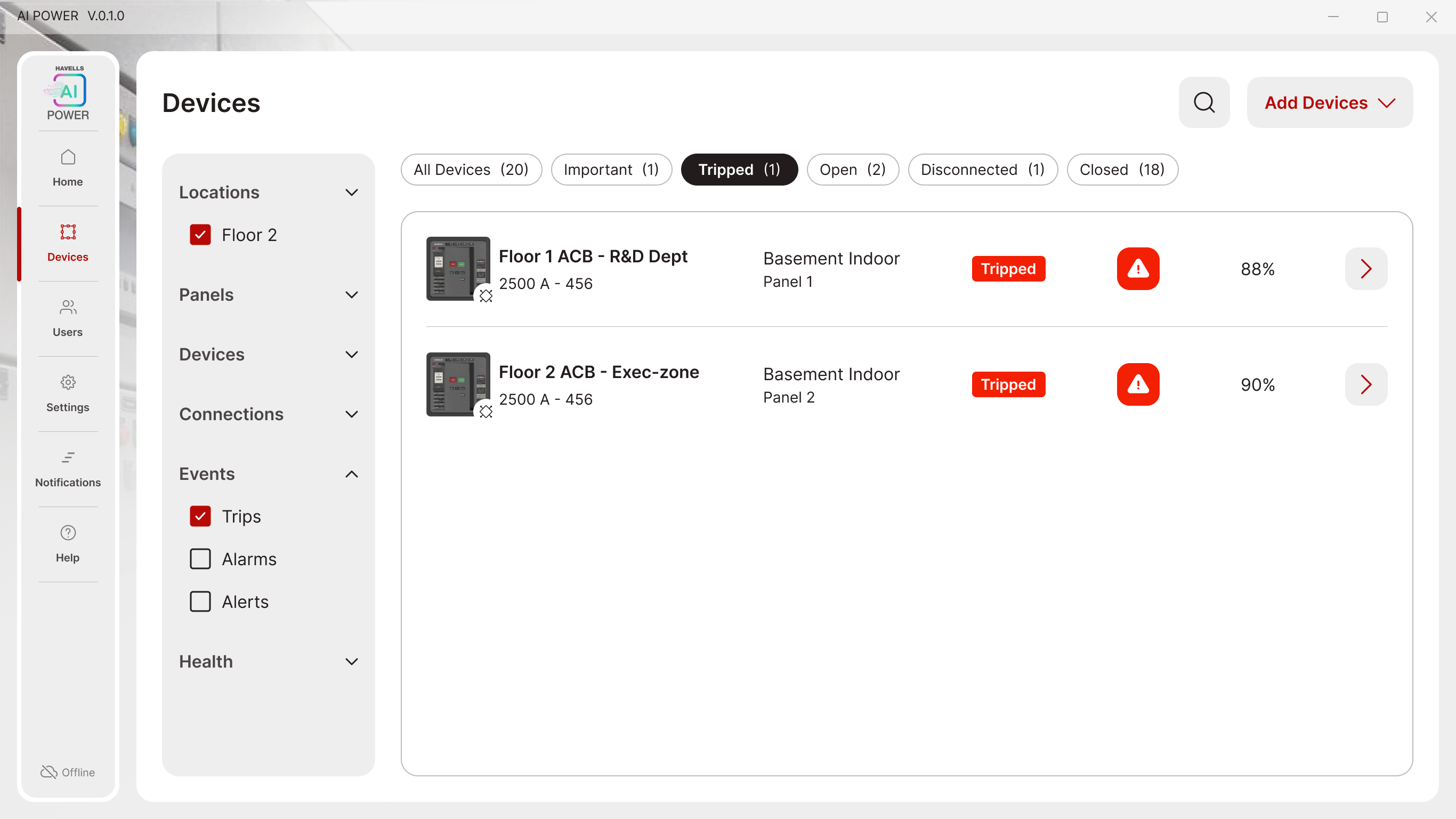
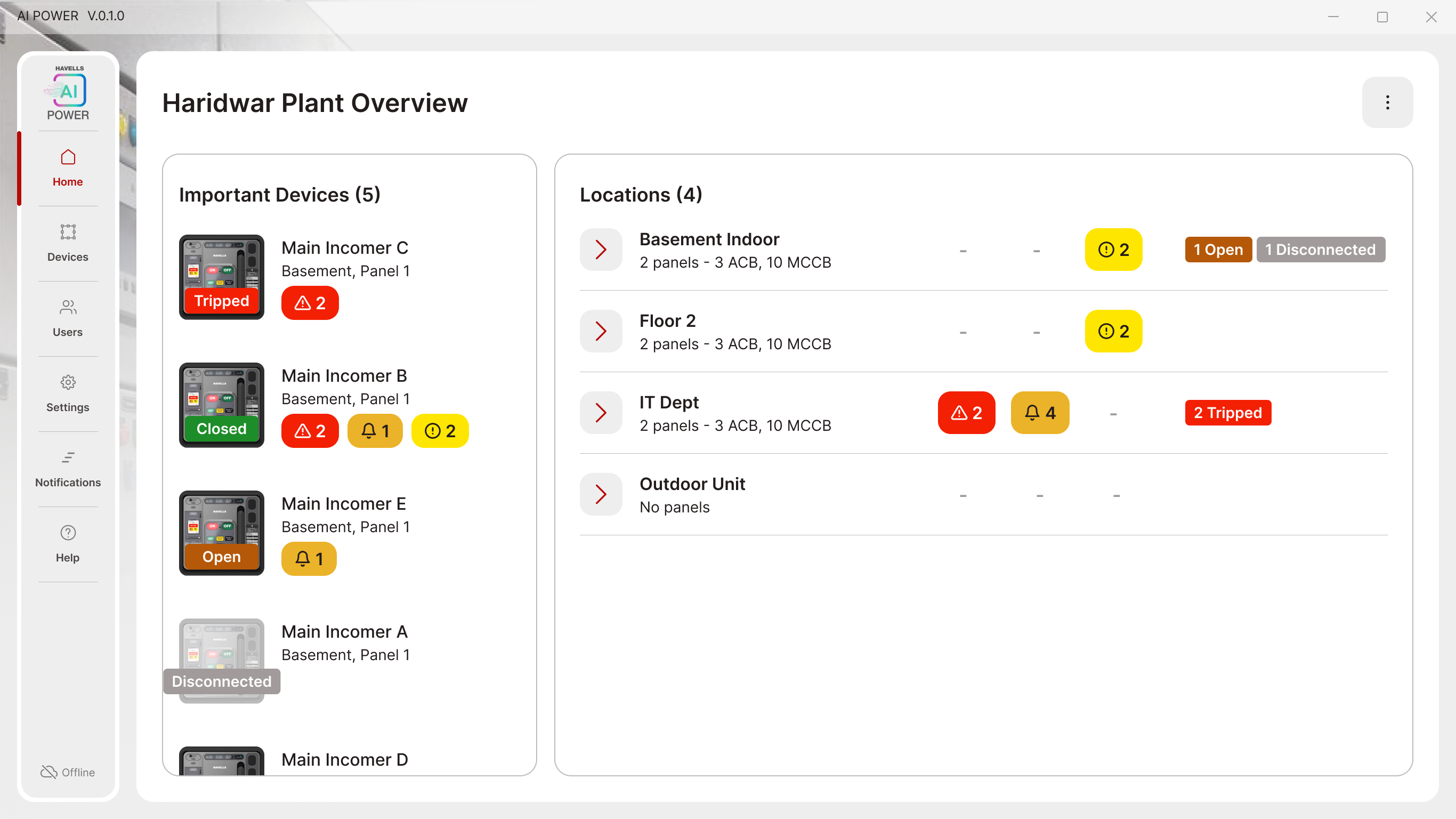
The site overview shows every device and location in one screen, with anything tripped or in alarm flagged on sight. Opening one gets to the event, and the cause of a trip, in a couple of clicks, or filtered straight to it from the device list.
Haridwar Plant Overview — site dashboard
Devices filtered by trip status
Bulk onboarding without auto-discovery
Competitor hardware auto-populated devices over WiFi; this hardware could not. Rather than adding breakers one at a time, the design used a template upload to bring them all in at once, then a single "Sync all" that checks each breaker and flags only the ones that fail.
Choice between adding devices manually or by bulk upload
Manual add or bulk upload
Review and sync screen showing per-device sync status
Review and sync
An LED language the app can verify against
The breaker's Bluetooth module signals its state through a defined LED pattern, a different colour and rhythm for advertising, connected, read or write, sync success, and update failure. The app shows the same pattern as it connects, so a user can check the light on the device against what the screen says and confirm they are talking to the right breaker in the right state.
ICM LED, blinking in sync
Consistent design across all surfaces
The same patterns, labels, and interactions across the display, desktop, and mobile, built on a design system I had already developed for an earlier Havells product. Reusing it kept the three surfaces consistent and got the UI built faster.
Desktop app showing the breaker overview
Desktop
Mobile app showing the same breaker overview
Mobile
The breaker's embedded display showing the same event summary
On-device display
Safe monitoring from a distance
Operators can read a breaker's status and act on it from their phone, outside the arc flash boundary, rather than standing at the panel. The design work was making those remote readings clear enough to rely on.

Tested as prototypes, before anything was built

The sessions ran at operational sites, including NTTPS, with the engineers and operators who would use the product day to day. Because they were working with prototypes rather than a finished build, changes were still cheap to make, and testing in a live facility surfaced problems no lab session would have caught.

Shown at ELECRAMA 2025, now running as a live pilot

Faster, safer trip diagnosis (field trials)
In trials at Havells factories, electrical teams identified the cause of a trip from the desktop app, instead of walking to the device to inspect it. That made diagnosis faster and meant one less reason to approach the panel. It was the feedback users responded to most.
ELECRAMA 2025
Showcased at India's largest electrical industry exhibition to an audience of industry professionals.
Stakeholder response
Strong appreciation from Havells leadership led to being brought in on future product work.

The work that ran alongside it

Over three years with Havells, the work extended across their consumer portfolio, spanning mobile, tablet, embedded displays, and physical product interfaces. Designing across all of them meant adapting to very different constraints while keeping the experience recognisably Havells.

Havells ONE
UX audit of the consumer app.
Home screen widgets
Quick controls for lights, fans, and AC.
Security camera module
A camera experience within the consumer app.
Mobile-to-tablet scaling
Adapting the experience cleanly across screen sizes.
Monoblock remote
Interface for a physical remote.
Air purifier display
On-device touch display.

I am also working on other products within the switchgear ecosystem that I cannot show here due to NDA.

More work